
Appearance
Payments
Payments (/t/ledger) has two parts: what providers owe you for the batches you carried, and your own personal collections. Money moves off-platform; Milogi keeps the record.
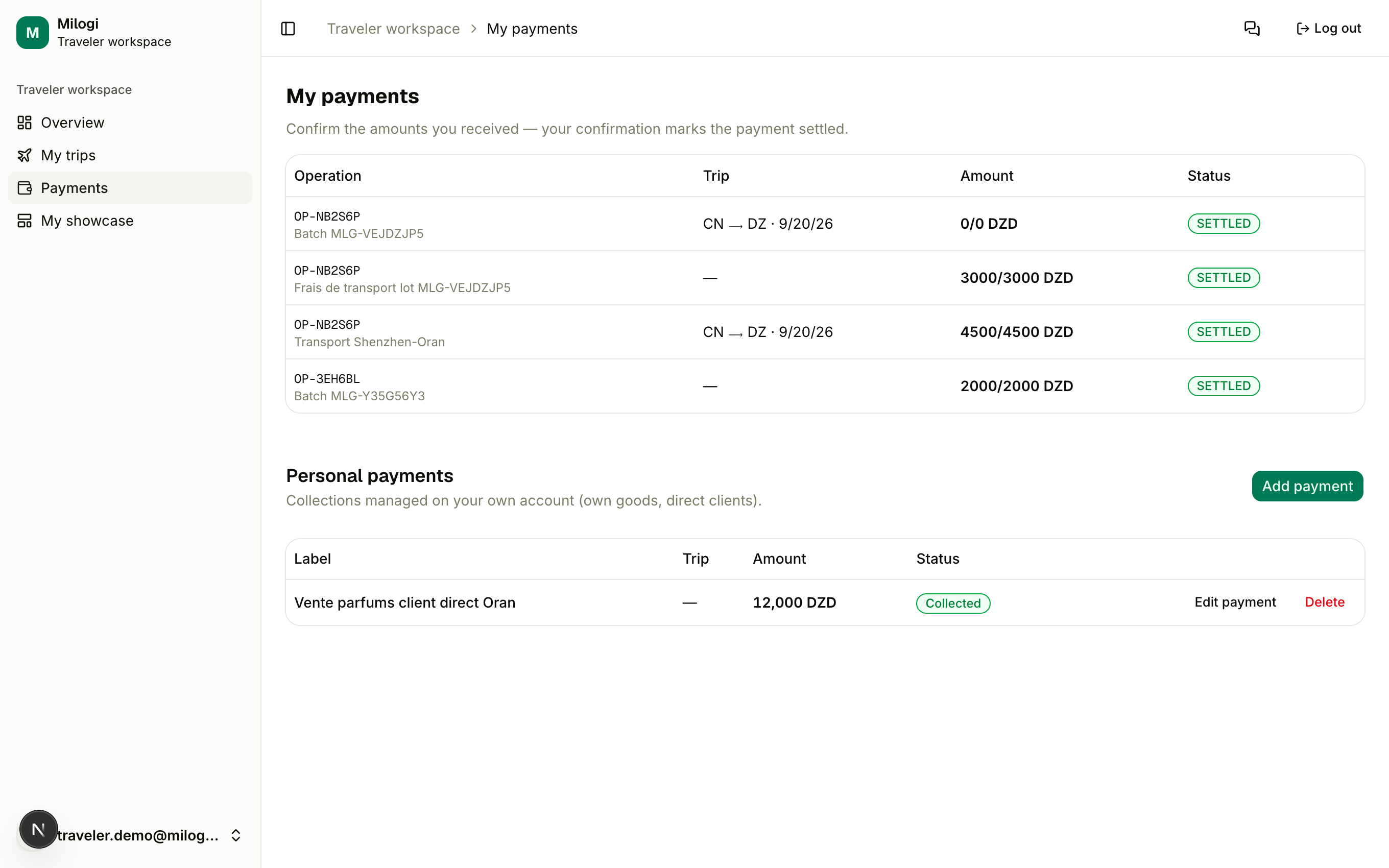
Payouts from providers
A payout line is created every time a batch you carried is delivered. The provider fills in the agreed amount; the table shows the operation, the trip, the amount, the settled amount, the currency and the status (PENDING, PARTIAL, SETTLED).
When you have received the money, click Received on the line: it is marked SETTLED in full. Your confirmation is the settlement — no need to wait for the provider.
The provider can also settle the line themselves, either from their ledger or by scanning your ticket and pressing Pay the traveler (see Carrying batches).
The To receive tile on your Overview totals the unsettled amounts per currency; the same lines also appear under each trip's Trip payments with the Total owed.
Amount still 0?
A line with amount 0 cannot be confirmed — the provider has not entered the payout yet. Remind them through Messages.
Personal payments
Use Personal payments for collections that are yours alone — goods you carry for your own customers, or your own merchandise:
- Click Add payment.
- Enter a Label, the Amount and Currency, optionally link it to one of your Trips, set the Status (Pending or Collected) and a Note.
- Click Save.
Mark a pending payment Collected with one click, Edit it, or Delete it. Personal payments are private to you and never visible to providers.