
Appearance
Market listings
The public market shows products providers can source or already hold. Your listings are managed from Market in the sidebar (/p/market).
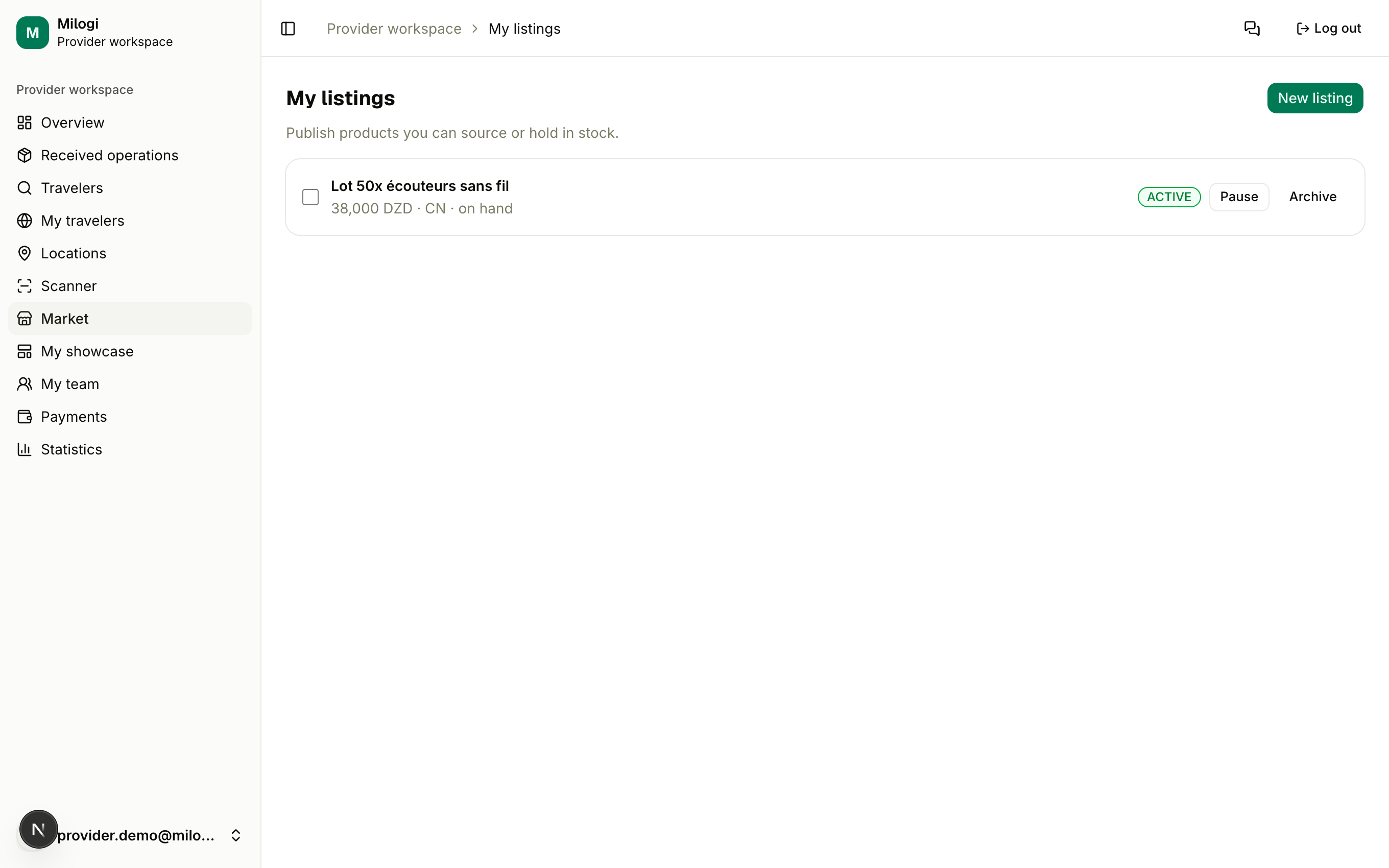
Publishing a listing
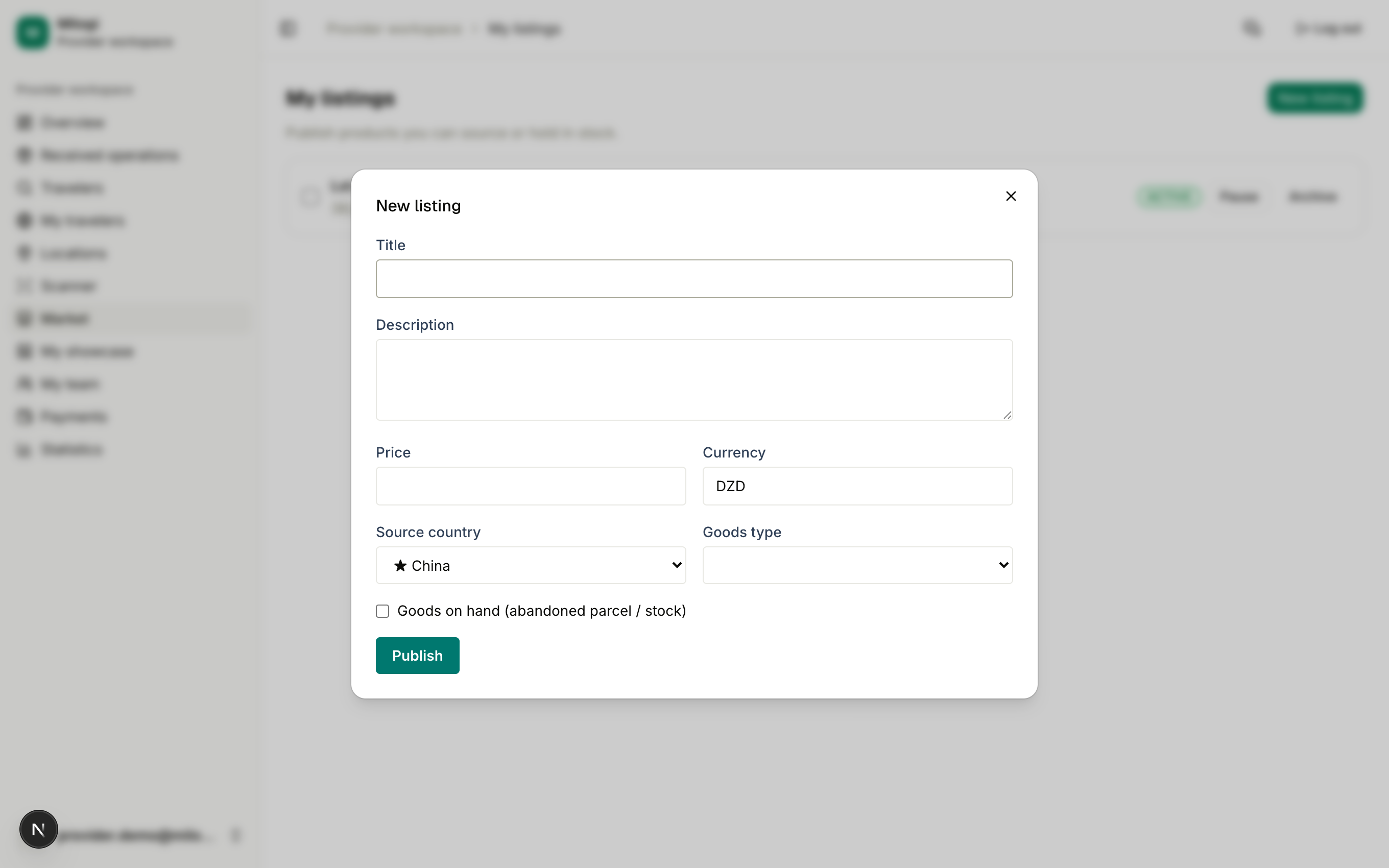
- Click New listing.
- Fill in the Title and an optional Description.
- Enter a Price and Currency — leave the price empty to display Price on request.
- Pick the Source country and the Goods type.
- Tick Goods on hand (abandoned parcel / stock) if you already have the goods — the listing gets an On hand badge on the market.
- Click Publish.
Listing statuses
| Status | Visible on the market? | Actions |
|---|---|---|
| ACTIVE | yes | Pause · Archive |
| PAUSED | no | Activate · Archive |
| ARCHIVED | no | Activate |
Select several listings to apply Activate / Pause / Archive in bulk.
How customers reach you
On the market, each card offers Message (opens an in-app conversation with you — see Messages), Chat on WhatsApp when your plan grants WhatsApp reach, and Show phone for your profile phone number. Your active listings can also be displayed on your showcase page and are used by its AI generator.