
Appearance
Following your delivery
Once you accepted the quote, everything about the delivery is on the operation page (/c/ops/…) — and, for each batch, on the public tracking page.
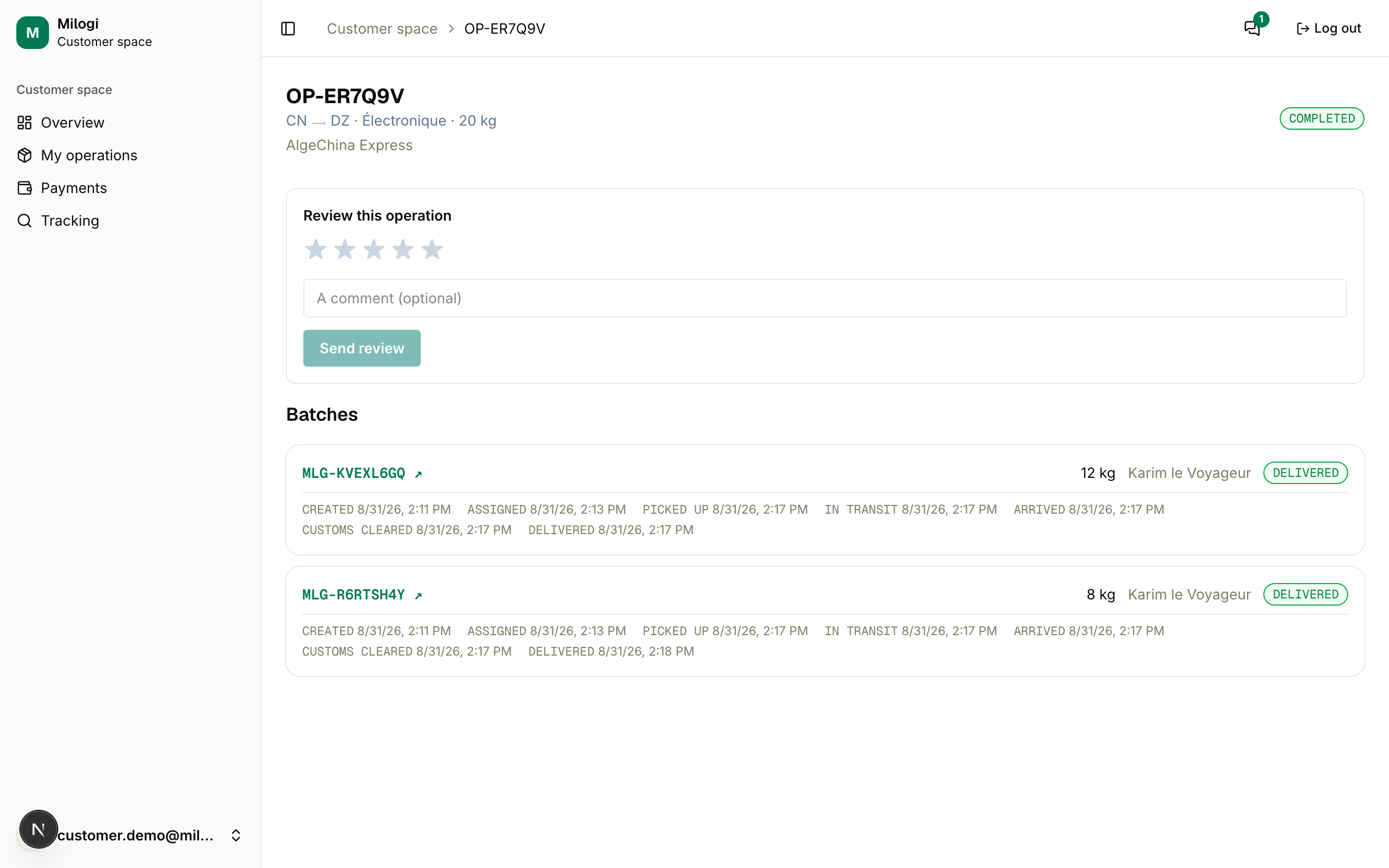
Batches
The provider splits your shipment into one or more batches, each carried by a traveler. For every batch you see:
- its tracking code (
MLG-…) — a link (↗) to the public tracking page you can share with anyone, - its weight and the traveler's name,
- the status pill: Created → Assigned → Picked up → In transit → Arrived → Customs cleared → Delivered,
- the pieces with their status (pending, delivered, damaged, missing),
- the timeline of status changes with dates and times.
Until the provider creates batches the page says The provider hasn't split this shipment into batches yet.
Operation status
| Status | Meaning for you |
|---|---|
| DISPATCHING | Batches exist and are being carried. |
| PARTIALLY DELIVERED | Some batches have arrived at the provider's location — you may already pick those up. |
| COMPLETED | Everything is delivered. You receive an email and can review the provider. |
Incidents
If a traveler flags pieces as damaged or missing, an amber Incident reported on your shipment notice appears with the counts — contact your provider to follow up. The affected pieces keep their flag when the batch is delivered.
Your QR ticket
The provider issues a customer ticket (TKC-…) for the operation; it appears at the top of the page with a QR code, the goods, the pickup location and, when set, the estimated delivery date. Show it at the drop point: the provider scans it, collects your payment and hands over your goods. See Tracking & QR tickets.
Payment
The Payment card shows settled / total and a status pill (PENDING, PARTIAL, SETTLED). It is updated when the provider records your payment or scans your ticket — details in Payments.
Reviewing the provider
When the operation is COMPLETED, the Review this operation form appears: pick 1 to 5 stars, add an optional comment and click Send review. One review per operation; it feeds the provider's public rating. The provider can review you the same way.