
Appearance
Payments (ledger)
Milogi does not move money. The ledger records what is owed and what was settled so that you, your customers and your travelers agree on the numbers. Actual payments happen off-platform — cash at the drop point, transfer, CCP…
Payments in the sidebar (/p/ledger) lists every entry of your business.
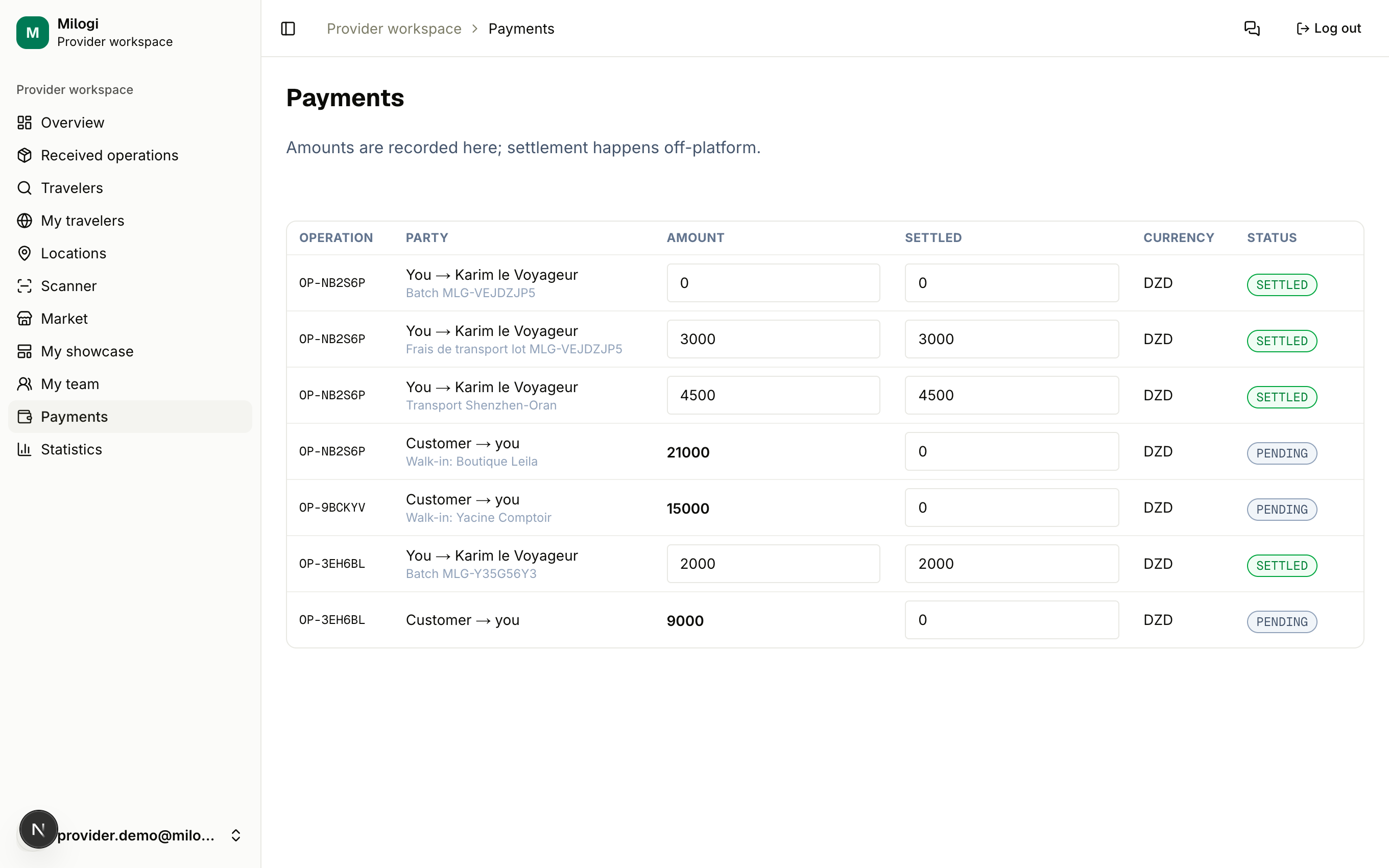
The two directions
| Entry | Created when | Amount |
|---|---|---|
| Customer → you | the customer accepts your quote (or you create a walk-in operation) | the quote / agreed price |
| You → traveler | a batch carried on a traveler's trip is delivered | 0 — you fill in the agreed payout |
You can also add a payout by hand from the operation page: Operation payments → Issue a payment, choose the traveler (those carrying batches of the operation), the amount and a note, then Record payment.
Updating an entry
Each row shows the operation, the party, the Amount, the Settled amount, the currency and a status pill. Edit the amount and/or the settled amount and click Save. The status is derived:
- PENDING — nothing settled,
- PARTIAL — settled amount below the total,
- SETTLED — settled amount reaches the total.
Faster ways to settle
- Scan the traveler ticket → Pay the traveler: settles every open payout line of that traveler on the operation (Scanner).
- Scan the customer ticket → Collect customer payment: settles the Customer → you line.
- The traveler can confirm they received the money from their own workspace (Received button) — that also marks the line settled.
TIP
Fill in the payout amount before issuing the traveler ticket: the ticket's amount is the sum of the open payout lines for that traveler on the operation.
The Statistics page aggregates incoming and outgoing settlements — see Statistics.