
Appearance
Showcase (dedicated landing page)
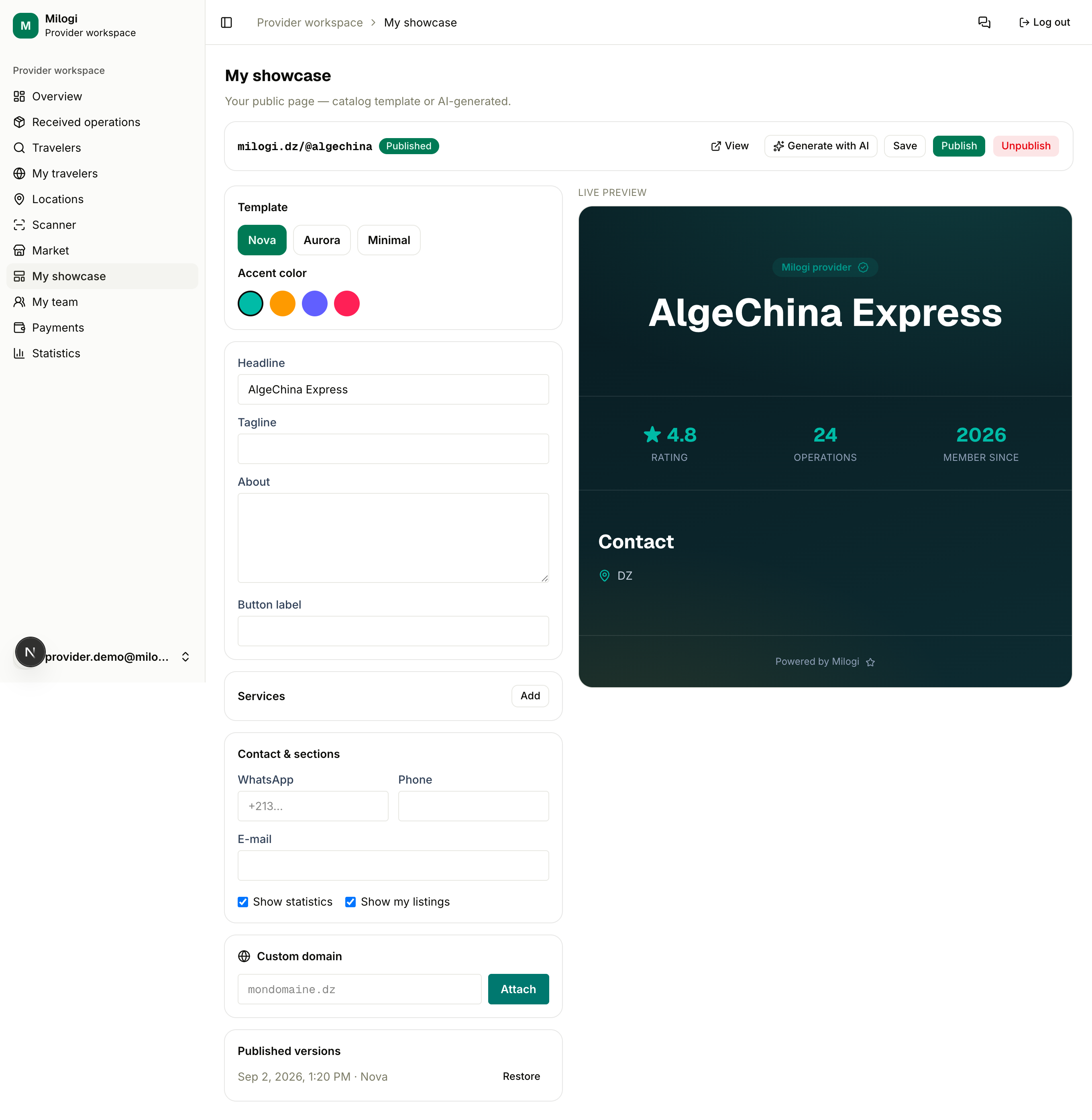
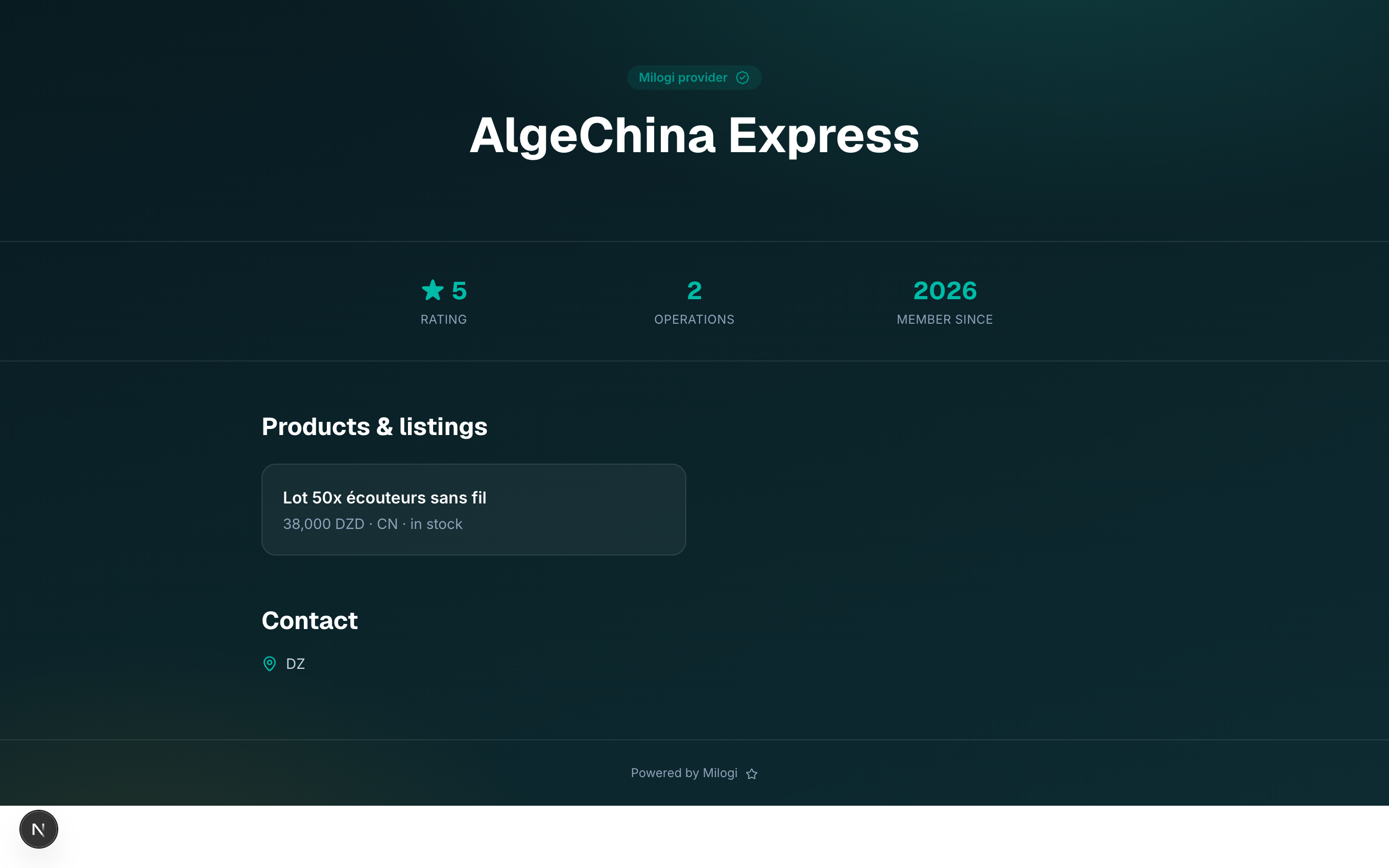
My showcase (/p/landing) is your own public page on Milogi — a mini-website at milogi.dz/@yourname presenting your business, services, listings and contact buttons, with an optional custom domain. It is a Provider Premium feature (Traveler Elite for travelers).
Before you start
Without a live Premium subscription (trial or active), the page shows The showcase is a Premium feature with a link to the plans. Start the Premium trial from the pricing page or the My plan card, then come back — see Plans & pricing.
1. Pick your address
The first time, choose your Address (the handle): lowercase letters, digits and hyphens, starting and ending with a letter or digit (e.g. algechina). Click Create my showcase. Your page will live at milogi.dz/@algechina (also reachable as /u/algechina). Handles are unique and cannot be changed afterwards.
2. Edit the draft
The editor works on a draft; the public page only changes when you publish.
| Block | What it controls |
|---|---|
| Template | nova, aurora or minimal — three layouts of the same content |
| Accent color | the color of buttons and highlights |
| Headline, Tagline, About | the hero text (120 / 200 / 2000 characters max) |
| Button label | the text of the main call-to-action (40 characters) |
| Services | a list of title + description cards; Add / remove as needed |
| Contact & sections | WhatsApp number, phone, email; Show statistics (rating, operations, member since) and Show my listings (your active market listings) |
Click Save (the button turns to Saved ✓). The Live preview on the right renders the draft as visitors will see it.
Generate with AI
Short on words? Click Generate with AI, optionally type a brief ("Shenzhen electronics specialist, 10-day delivery, premium tone…") and click Generate. The AI writes the headline, tagline, about text and services from your profile, your listings and the brief, in your language — into the draft, so you can still edit everything before publishing.
TIP
AI generation requires the platform to be configured with an AI key; if it is not, the button reports that AI is not available and you can write the texts yourself.
3. Publish
- Publish copies the draft to the live page and records a published version.
- Unpublish takes the page offline (the handle and the draft are kept).
- View opens the public page.
The Published versions list lets you Restore a previous version into the draft — publish again to put it live.
4. Custom domain (optional)
- Under Custom domain, type your domain (e.g.
mondomaine.dz) and click Attach. - The page shows a TXT record to add at your registrar: host
_milogi.<your domain>, value = the verification token. - Once DNS has propagated, click Verify domain. The badge goes from Pending to Verified.
- Point the domain itself at Milogi as instructed by the team; visitors on your domain are then served your showcase.
Remove detaches the domain.
When the subscription lapses
If your Premium plan expires, the editor shows a Subscription lapsed badge and the public page answers This showcase does not exist or is no longer published. Nothing is deleted: renew the plan and the page is back, unchanged.