
Appearance
Carrying batches
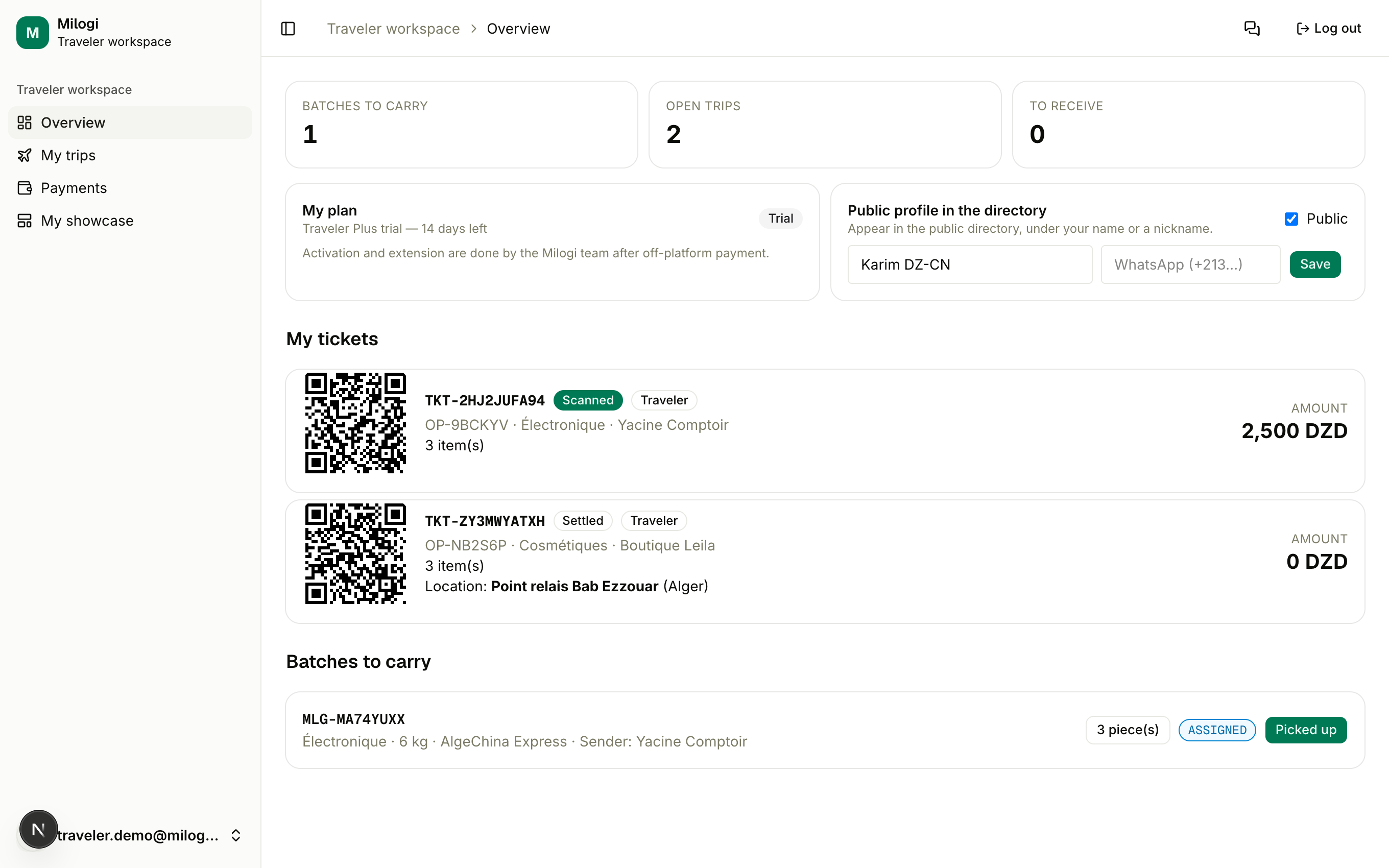
When a provider assigns a batch to one of your trips, it shows up on your Overview under Batches to carry and in the trip's Parcels on board table. You are responsible for moving its status as you travel — every step is timestamped and shown to the customer.
Accepting an assignment
There is no separate "accept" step: the provider assigns, and the batch is yours to carry. If you cannot take it, tell the provider through Messages — they can Remove it from the trip as long as you have not picked it up.
Advancing the status
Each batch card shows its current status pill and one next-step button:
| Current status | Button | When to press it |
|---|---|---|
| ASSIGNED | Picked up | you have the goods in hand (the provider must have declared the contents first) |
| PICKED UP | In transit | you are on the way |
| IN TRANSIT | Arrived | you landed in the destination country |
| ARRIVED | Cleared customs | you are through customs |
| CUSTOMS CLEARED | Delivered | you handed the goods to the provider — usually the provider does this by scanning your ticket |
Contents must be declared
Picked up is refused while the provider has not declared the batch contents inspected. Ask them to do it from their operation page.
Pieces: damaged or missing
Click the N piece(s) button on a batch to expand its pieces. Each one has a status (PENDING, DELIVERED, DAMAGED, MISSING) and buttons to set it. Flag a piece as Damaged or Missing as soon as you notice it: the customer sees an incident notice on their operation, and only the untouched pieces are marked delivered when the batch lands.
Your tickets
For each assigned batch the provider can issue a traveler ticket (TKT-…), shown under My tickets on your Overview with a QR code, the batch's operation, the number of pieces, the provider's location for the handover and the amount you will be paid.
At the provider's location, show the QR code. Scanning it lets the provider mark the goods received (the batch becomes Delivered) and pay you — the payout line in your Payments is then settled automatically. Ticket statuses go Issued → Scanned → Settled.
What happens at delivery
- Pending pieces become delivered; damaged/missing flags are kept.
- A payout line opens for you on the provider's side (they fill in the amount if it is not agreed yet).
- Your operations counter increases.
- When every batch of the operation is delivered, the operation completes and the provider can rate you.